> For the complete documentation index, see [llms.txt](https://docs.load.network/llms.txt). Markdown versions of documentation pages are available by appending `.md` to page URLs; this page is available as [Markdown](https://docs.load.network/load-network-for-evm-chains/da-exex-reth-only.md).
# DA ExEx (Reth-only)
Plug Load Network high-throughput DA into any Reth node
### About
Adding a DA layer usually requires base-level changes to a network’s architecture. Typically, DA data is posted either by sending calldata to the L1 or through blobs, with the posting done at the sequencer level or by modifying the rollup node’s code.
This ExEx introduces an emerging, non-traditional DA interface for EVM rollups. No changes are required at the sequencer level, and it’s all handled via the ExEx, which is easy to add to any Reth client in just 80 lines of code.
### Integration Tutorial
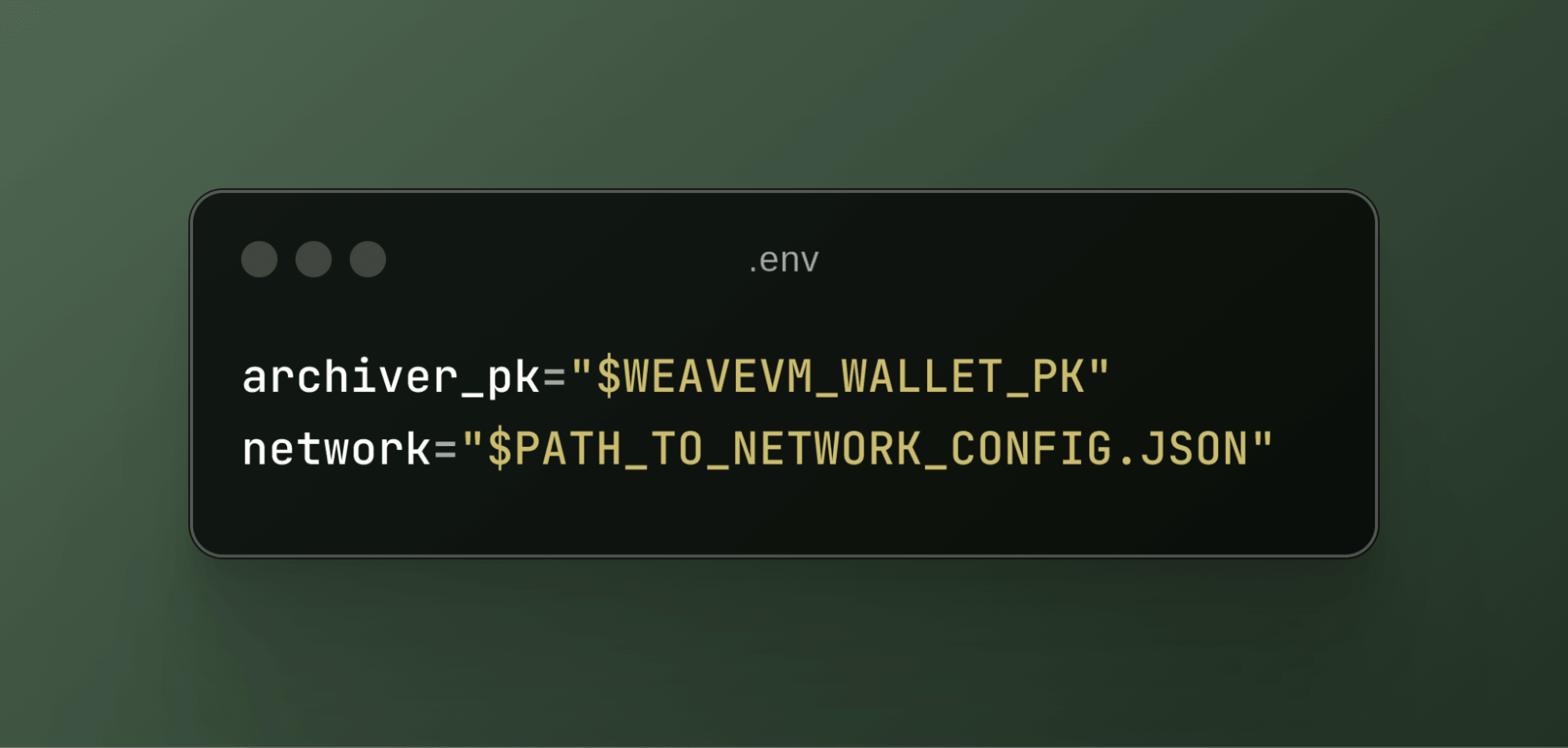
First, you’ll need to add the following environment variables to your Reth instance:
.env
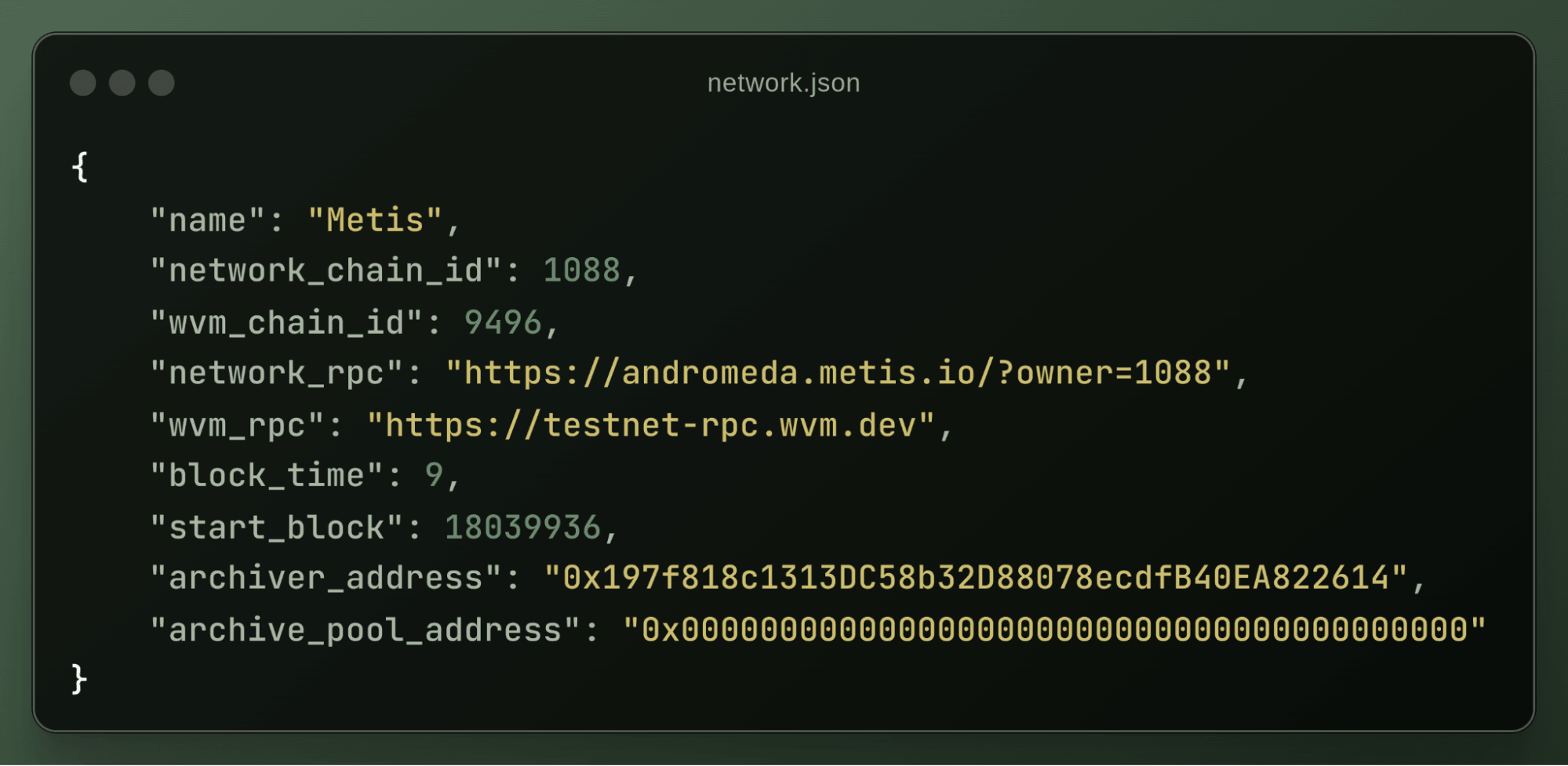
The `archiver_pk` refers to the private key of the LN wallet, which is used to pay gas fees on the LN for data posting. The `network` variable points to the path of your network configuration file used for the ExEx. A typical network configuration file looks like this:
network.json
For a more detailed setup guide for your network, check out this [guide](https://github.com/weaveVM/wvm-archiver?tab=readme-ov-file#add-your-network).
Finally, to implement the Load Network DA ExEx in your Reth client, simply import the DA ExEx code into your ExExes directory and it will work off the shelf with your Reth setup. [Get the code here](https://github.com/weaveVM/wvm-reth/tree/dev/wvm-apps/wvm-exexed/crates/exex-wvm-da).
---
# Agent Instructions
This documentation is published with GitBook. GitBook is the documentation platform designed so that both humans and AI agents can read, navigate, and reason over technical content effectively. Learn more at gitbook.com.
## Querying This Documentation
If you need additional information that is not directly available in this page, you can query the documentation dynamically by asking a question.
Perform an HTTP GET request on the current page URL with the `ask` query parameter, and the optional `goal` query parameter:
```
GET https://docs.load.network/load-network-for-evm-chains/da-exex-reth-only.md?ask=&goal=
```
`ask` is the immediate question: it should be specific, self-contained, and written in natural language.
`goal` is optional and describes the broader end goal you are ultimately trying to accomplish on behalf of the user. GitBook uses it to tailor the answer towards what is most useful for that goal.
The response will contain a direct answer to the question and relevant excerpts and sources from the documentation.
Use this mechanism when the answer is not explicitly present in the current page, you need clarification or additional context, or you want to retrieve related documentation sections.